Chapter 18: Best Practices and Common Pitfalls
Proven Techniques and Mistakes to Avoid
Learning Objectives
After completing this chapter, you will be able to:
- Apply proven prompting best practices
- Recognize and avoid common pitfalls
- Identify anti-patterns in your prompts
- Learn from real-world examples
- Build your own best practice library
Best Practices Overview
The Core Principles
Effective prompting follows consistent principles:
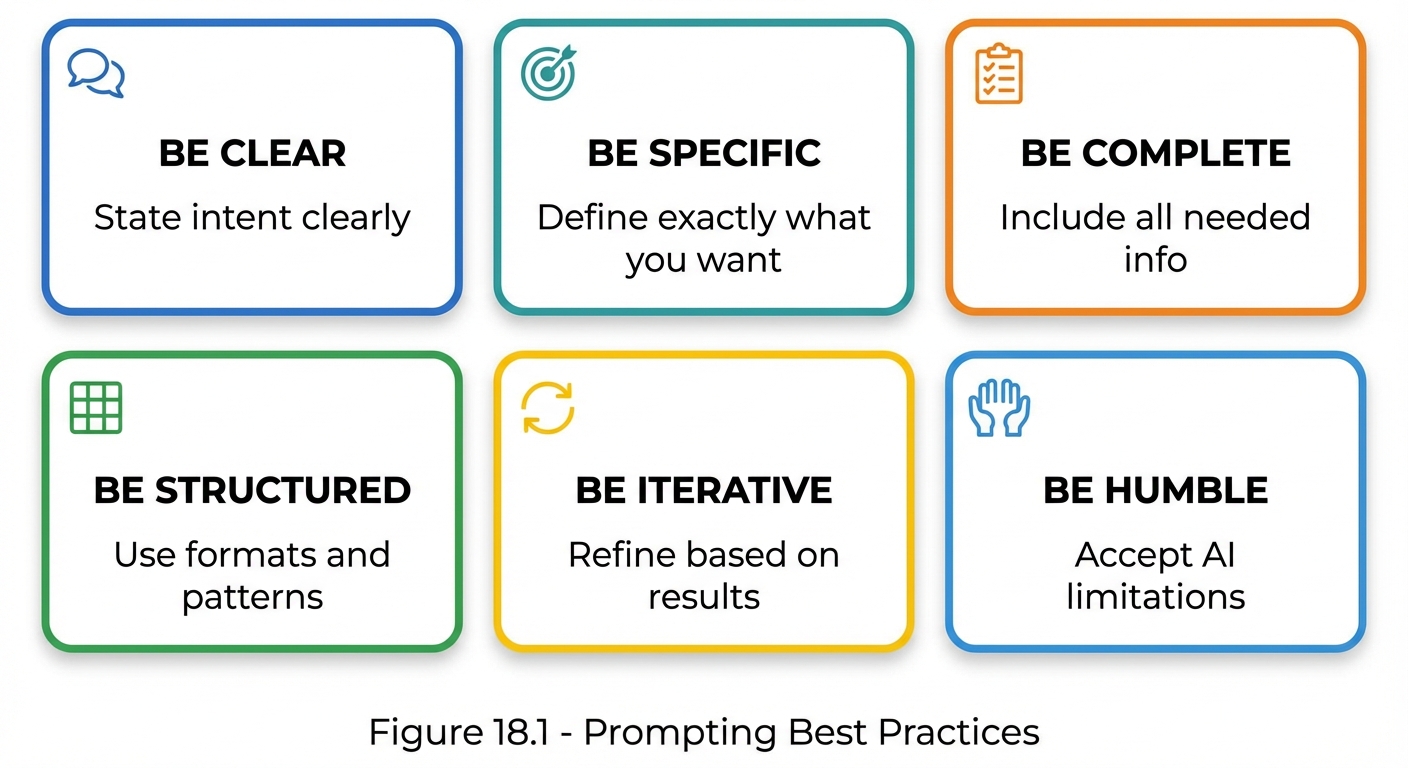 Figure 18.1: The six core principles of prompting best practices—clarity, specificity, completeness, structure, iteration, and humility.
Top 10 Best Practices
1. Start with Clear Intent
Practice: Begin every prompt by clearly stating what you want to achieve.
❌ UNCLEAR: "Help me with marketing"

✅ CLEAR: "Write 3 email subject lines for a product launch targeting
existing customers who purchased in the last 6 months."
Why it works: AI responds better to clear direction than vague requests.
2. Provide Sufficient Context
Practice: Include relevant background information that shapes the response.
❌ INSUFFICIENT CONTEXT:
"Explain how to fix this bug"

✅ SUFFICIENT CONTEXT:
"In a React 18 application using TypeScript, the useState hook
returns undefined on first render when initial state is an object.
Here's the code: [code]. Explain how to fix this bug."
Why it works: Context enables AI to tailor responses to your specific situation.
3. Specify the Output Format
Practice: Explicitly state how you want the response structured.
❌ NO FORMAT SPECIFIED:
"Tell me about project management methodologies"

✅ FORMAT SPECIFIED:
"Create a comparison table of 4 project management methodologies
(Agile, Waterfall, Kanban, Scrum) with rows for: team size fit,
flexibility, documentation level, and best use case."
Why it works: Format specifications ensure outputs are immediately usable.
4. Use Examples When Helpful
Practice: Provide examples of desired output when the pattern is complex.
❌ NO EXAMPLES:
"Write product descriptions in our brand voice"

✅ WITH EXAMPLES:
"Write product descriptions in our brand voice. Example:
Product: Hiking boots
Description: 'Adventure awaits. These boots tackle any trail
with confidence—waterproof, breathable, and ready for whatever
nature throws your way.'

Now write for: Running shoes, insulated jacket, hiking backpack"
Why it works: Examples communicate patterns better than descriptions.
5. Constrain Appropriately
Practice: Set boundaries that prevent unwanted outputs.
❌ UNCONSTRAINED:
"Write about our company"

✅ APPROPRIATELY CONSTRAINED:
"Write a 150-word company description that:
- Focuses on our cloud services (not our legacy products)
- Uses professional but accessible language
- Avoids industry jargon
- Includes our founding year (2015) and headquarters (Austin, TX)
- Does NOT include financial figures"
Why it works: Constraints focus the output and prevent drift.
6. Break Complex Tasks into Steps
Practice: Decompose complex requests into sequential steps.
❌ MONOLITHIC:
"Create a marketing plan for our new product"

✅ DECOMPOSED:
"Let's create a marketing plan in steps:
Step 1: First, summarize the target audience (B2B software buyers)
Step 2: Then, identify 3 key value propositions
Step 3: Next, recommend 5 marketing channels
Step 4: Finally, outline a 30-day launch plan

Start with Step 1."
Why it works: Step-by-step allows verification and course correction.
7. Request Reasoning When Needed
Practice: Ask AI to explain its reasoning for complex tasks.
❌ WITHOUT REASONING:
"Which database should we use?"

✅ WITH REASONING:
"Based on our requirements (high read volume, flexible schema,
horizontal scaling), recommend a database and explain:
1. Why this database fits our needs
2. What tradeoffs we're making
3. What alternatives you considered"
Why it works: Reasoning reveals logic for verification and learning.
8. Iterate and Refine
Practice: Treat prompting as a refinement process, not a one-shot attempt.
## Iteration Example

Attempt 1: "Write a sales email"
Result: Too generic

Attempt 2: "Write a sales email for our CRM product to IT managers"
Result: Better, but too long

Attempt 3: "Write a 100-word sales email for our CRM product
targeting IT managers, focusing on time savings"
Result: Good fit ✓
Why it works: Iteration converges on optimal prompts systematically.
9. Validate Important Outputs
Practice: Request verification or self-checks for critical outputs.
❌ WITHOUT VALIDATION:
"Calculate the ROI for this project"

✅ WITH VALIDATION:
"Calculate the ROI for this project.
After your calculation:
1. Show your formula and assumptions
2. Verify the math is correct
3. Note any assumptions that might affect accuracy"
Why it works: Built-in validation catches errors before use.
10. Document What Works
Practice: Keep records of successful prompts for reuse.
## Prompt Library Entry

**Name:** Product Description Writer
**Version:** 2.3
**Use Case:** E-commerce product listings
**Last Updated:** 2024-01-15

**Prompt:**
[Full prompt text]

**Notes:**
- Works well for consumer electronics
- Needs adjustment for B2B products
- Include price point for better results

**Success Rate:** 90%
Why it works: Documentation enables reuse and continuous improvement.
Common Pitfalls and Solutions
Pitfall 1: The Vague Request
Problem: Prompts that are too open-ended
❌ "Help me with my project"
❌ "Make this better"
❌ "I need some ideas"
Solution: Be specific about what, why, and how
✅ "Review this project proposal and suggest 3 ways to reduce
the timeline while maintaining quality. Focus on the development
phase (weeks 4-8)."
Pitfall 2: The Wall of Text
Problem: Overwhelming prompts without structure
❌ "I need you to write a blog post about artificial intelligence
and how it's changing the workplace and specifically I want you
to focus on productivity tools but also mention the risks and
make sure it's SEO optimized and about 1000 words and written
for a general business audience and include some statistics
and maybe a few examples from real companies..."
Solution: Use clear structure and formatting
✅ "Write a blog post about AI in the workplace.

Topic: AI productivity tools
Audience: Business professionals
Length: 1000 words
Tone: Informative, balanced

Include:
- 3 specific AI tool categories
- 2-3 real company examples
- Balanced view (benefits AND risks)
- SEO keywords: AI workplace, productivity tools

Structure:
1. Hook/Introduction
2. Main body (3 sections)
3. Conclusion with takeaway"
Pitfall 3: Assuming Knowledge
Problem: Leaving out information the AI needs
❌ "Fix the bug in the handleSubmit function"
(What file? What language? What's the bug?)
Solution: Provide complete context
✅ "Fix the bug in the handleSubmit function.

File: src/components/Form.tsx
Language: TypeScript/React
Bug: Form submits with empty values when user clicks
submit twice quickly
Current code: [paste code]
Expected behavior: Prevent double submission"
Pitfall 4: Conflicting Instructions
Problem: Instructions that contradict each other
❌ "Write a comprehensive, detailed response.
Keep it very brief, under 50 words."
Solution: Resolve conflicts before prompting
✅ "Write a 50-word summary that captures the most essential
points. Prioritize clarity over completeness."
Pitfall 5: Missing Success Criteria
Problem: No way to know if the output is correct
❌ "Improve this code"
Solution: Define what “success” looks like
✅ "Improve this code for:
- Performance (target: 2x faster)
- Readability (clear variable names, comments)
- Error handling (all edge cases covered)

Success criteria:
- Passes all existing tests
- Handles null input gracefully
- Cyclomatic complexity under 10"
Pitfall 6: One-Shot Thinking
Problem: Expecting perfect results from first attempt
Expectation: First prompt = Perfect output
Reality: First prompt = Starting point for iteration
Solution: Plan for iteration
✅ Approach each prompt as a starting point:
1. Initial prompt → Review output
2. Identify gaps → Refine prompt
3. Test refinement → Evaluate improvement
4. Repeat until satisfied
Pitfall 7: Format Ambiguity
Problem: Not specifying how output should be structured
❌ "Give me a list of recommendations"
(Bulleted? Numbered? Paragraph form? How many?)
Solution: Explicitly specify format
✅ "Give me 5 recommendations as a numbered list.
Each recommendation should be:
- One sentence summary
- One paragraph explanation (50-75 words)
- One specific action item"
Pitfall 8: Ignoring Model Limitations
Problem: Expecting capabilities the model doesn’t have
❌ "Tell me what happened in the news yesterday"
(AI doesn't have real-time access)

❌ "Access my database and generate a report"
(AI can't access external systems)
Solution: Work within model capabilities
✅ "Based on the news summary I'm providing below,
identify the 3 most significant events and their implications.

[Paste relevant news content]"
Anti-Patterns to Avoid
Anti-Pattern Summary
| Anti-Pattern | Problem | Better Approach |
|---|---|---|
| Hope Prompting | No clear structure | Use frameworks |
| Kitchen Sink | Everything included | Focus on essentials |
| Copy-Paste Forever | Same prompt always | Iterate and improve |
| Black Box | No verification | Request reasoning |
| One Size Fits All | Generic prompts | Task-specific prompts |
| Manual Memory | Rely on recall | Document prompts |
Best Practice Checklist
| Phase | Verify |
|---|---|
| Pre-Prompt | Clear goal, context identified, output format decided, constraints known, examples prepared, success criteria defined |
| During-Prompt | Intent explicit, context included, format specified, constraints defined, no conflicts, unambiguous language |
| Post-Prompt | Addresses request, format matches spec, quality meets requirements, no errors, usable for purpose, documented if successful |
Key Takeaways
- Clear intent is the foundation of effective prompting
- Context and constraints shape output quality
- Format specification ensures usability
- Iteration is expected, not a failure
- Documentation enables improvement over time
- Anti-patterns are recognizable and avoidable
Summary
Best practices and pitfalls are two sides of the same coin. By consistently applying best practices—clarity, specificity, structure, iteration—and actively avoiding common pitfalls—vagueness, assumptions, conflicts—you’ll dramatically improve your prompting effectiveness. This chapter serves as a reference to consult whenever you’re struggling with a prompt. Often, the solution lies in applying one of these principles.
Review Questions
- What are the “Top 10 Best Practices” for prompting?
- Name three common pitfalls and their solutions.
- Why is “one-shot thinking” problematic?
- What should a post-prompt checklist include?
- How does documenting successful prompts help?
Practical Exercise
Exercise 18.1: Pitfall Identification
Review these prompts and identify the pitfalls:
- “Make my email better”
- “Write a 5000-word comprehensive yet concise analysis”
- “What’s the stock price of Apple right now?”
- “Give me some marketing stuff”
- “Fix the thing in my code”
Exercise 18.2: Best Practice Application
Take a prompt you’ve struggled with and apply the best practices:
- State clear intent
- Add necessary context
- Specify format
- Define constraints
- Compare results with original