Chapter 13: Testing and Iteration Strategies
Systematic Approaches to Prompt Improvement
Learning Objectives
After completing this chapter, you will be able to:
- Design systematic prompt tests
- Implement A/B testing for prompts
- Apply iteration methodologies
- Build regression test suites
- Document and track prompt improvements
The Testing Mindset
Why Test Prompts?
Prompt engineering without testing is like coding without debugging—you might get lucky, but you won’t consistently produce quality results.
| Without Testing | With Testing |
|---|---|
| Uncertain quality | Measured performance |
| Random improvements | Systematic iteration |
| Can’t compare versions | A/B comparisons |
| Hard to maintain | Regression detection |
| Individual knowledge | Documented patterns |
The Testing Imperative
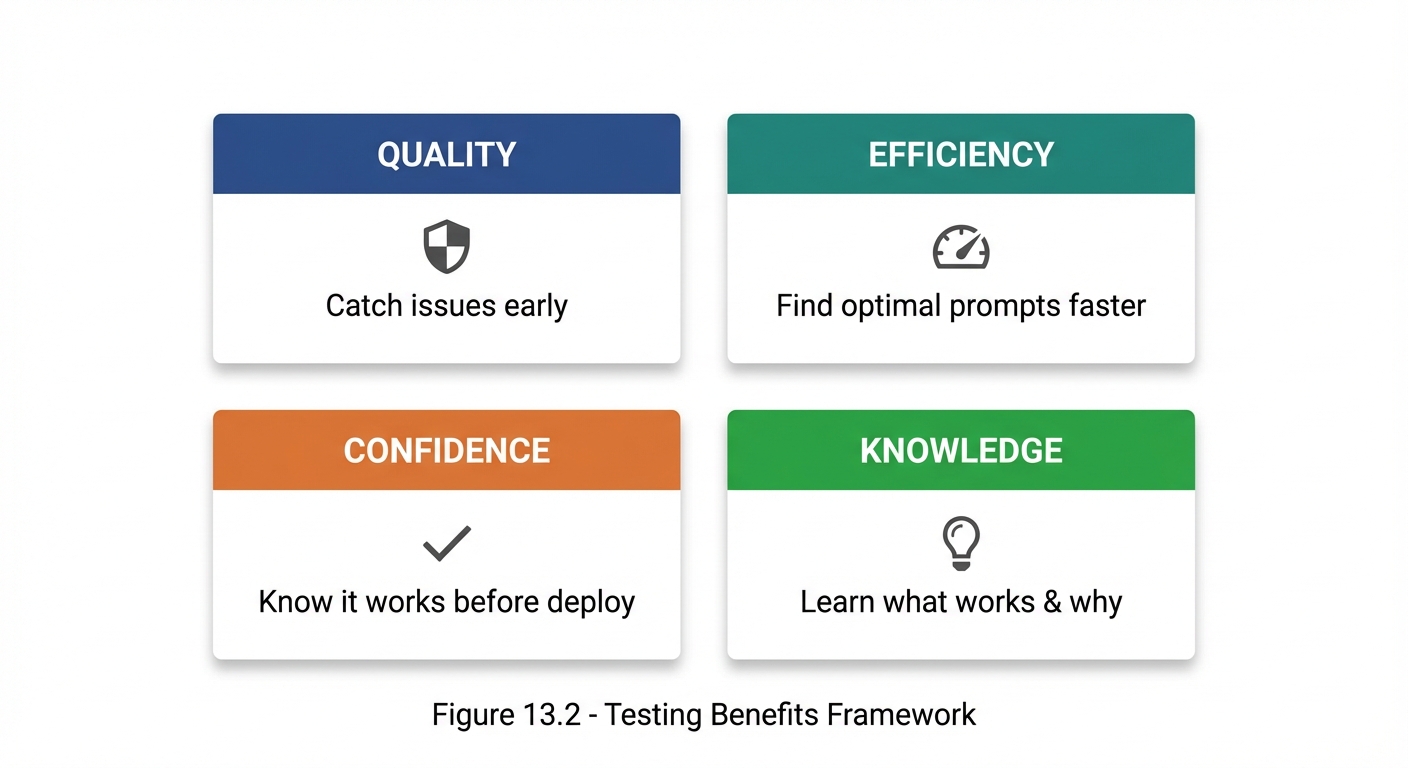 Figure 13.2: The four key benefits of systematic prompt testing—Quality, Efficiency, Confidence, and Knowledge.
The Prompt Testing Lifecycle
Overview
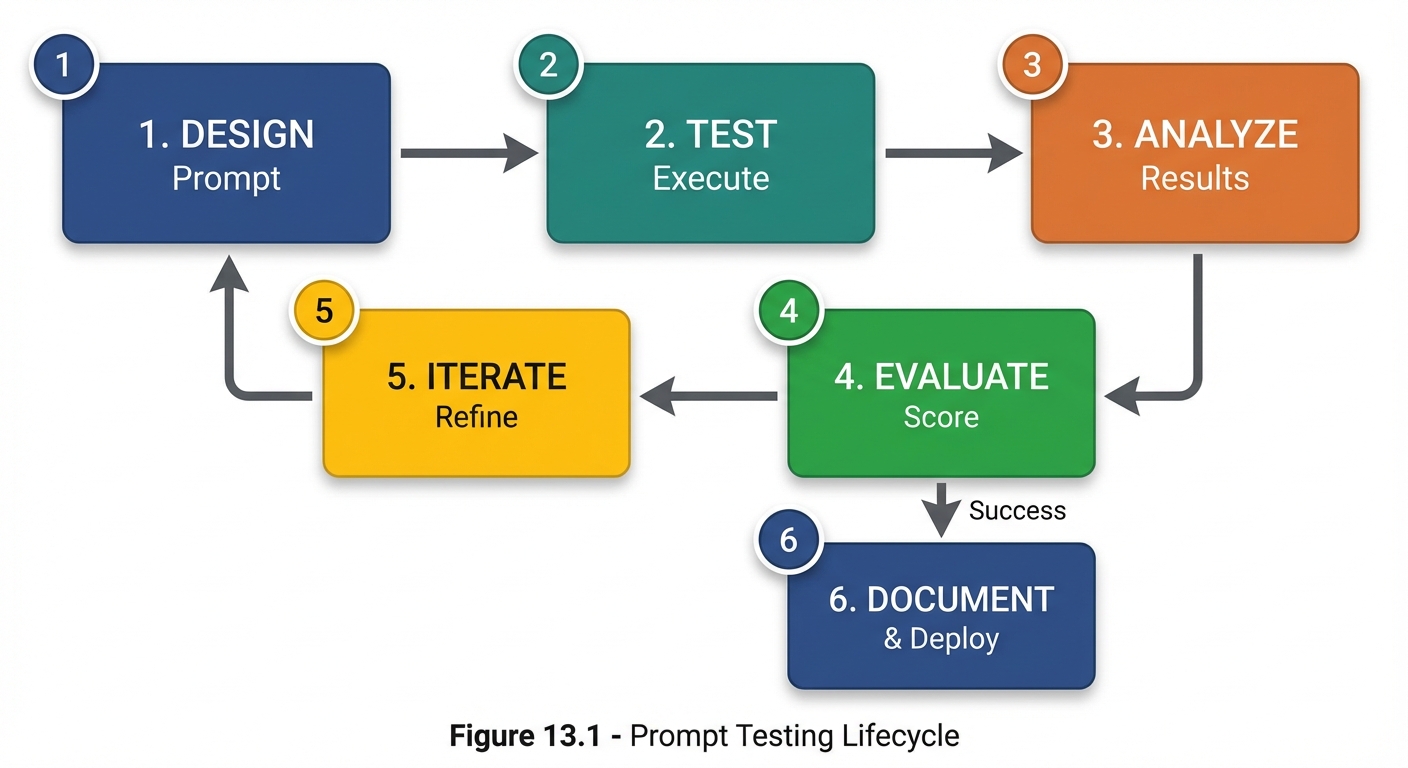 Figure 13.1: The six-stage prompt testing lifecycle from initial design through documentation and deployment.
Stage Details
| Stage | Activities | Outputs |
|---|---|---|
| 1. Design | Create prompt version | Prompt text |
| 2. Test | Run against test inputs | Raw responses |
| 3. Analyze | Review responses | Quality observations |
| 4. Evaluate | Score against criteria | Quality metrics |
| 5. Iterate | Refine based on scores | Improved prompt |
| 6. Document | Record what works | Best practices |
Test Design Fundamentals
Test Input Categories
Test inputs should cover:

1. TYPICAL CASES
   - Common, expected inputs
   - Representative of normal usage
   - ~60% of test cases

2. EDGE CASES
   - Boundary conditions
   - Unusual but valid inputs
   - ~20% of test cases

3. ADVERSARIAL CASES
   - Inputs designed to break the prompt
   - Ambiguous or misleading inputs
   - ~10% of test cases

4. ERROR CASES
   - Invalid inputs
   - Out-of-scope requests
   - ~10% of test cases
Test Input Selection
| Input Type | Purpose | Example |
|---|---|---|
| Typical | Verify basic functionality | Standard customer query |
| Edge | Test boundaries | Very long or very short input |
| Adversarial | Test robustness | Deliberately confusing input |
| Error | Test error handling | Invalid format |
Creating Test Suites
## Test Suite: [Prompt Name]

### Test Case 1: Basic Functionality
**Input:** [Test input]
**Expected Behavior:** [What should happen]
**Success Criteria:** [How to evaluate]

### Test Case 2: Edge Case - Long Input
**Input:** [Very long test input]
**Expected Behavior:** [Should handle gracefully]
**Success Criteria:** [Specific criteria]

### Test Case 3: Adversarial - Ambiguous Request
**Input:** [Deliberately ambiguous]
**Expected Behavior:** [Ask for clarification]
**Success Criteria:** [Doesn't assume wrongly]

### Test Case 4: Error - Invalid Input
**Input:** [Invalid input]
**Expected Behavior:** [Appropriate error response]
**Success Criteria:** [Handles gracefully]
A/B Testing for Prompts
What Is A/B Testing?
A/B testing compares two or more prompt versions to determine which performs better on defined metrics.
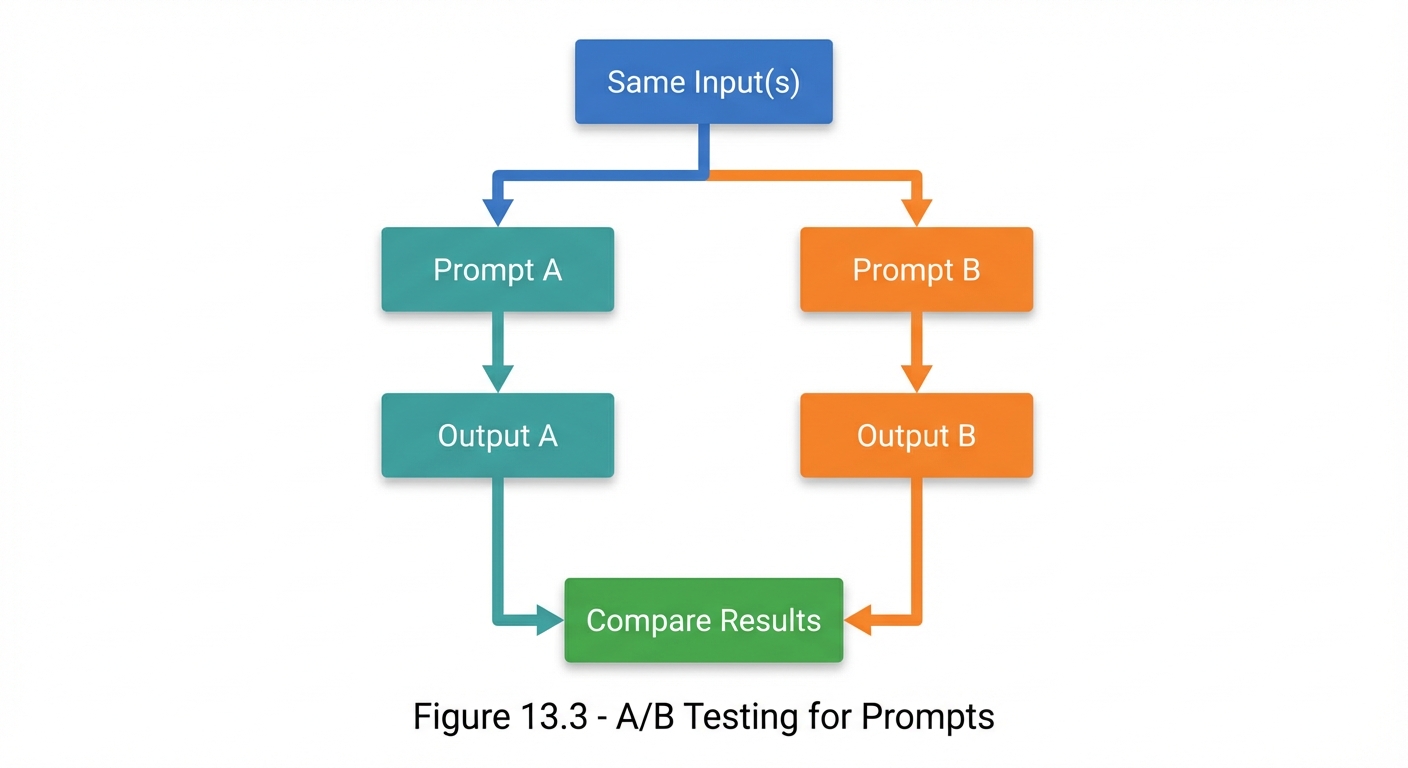 Figure 13.3: A/B testing flow—run the same inputs through two prompt variants and compare results.
A/B Test Design
## A/B Test: Instruction Clarity

### Hypothesis
Adding explicit output format instructions will improve response consistency.

### Variants
**Prompt A (Control):**
"Summarize the following article for a general audience."

**Prompt B (Treatment):**
"Summarize the following article for a general audience.
Format: 3 bullet points, each 1-2 sentences, focusing on
the main argument, key evidence, and conclusion."

### Test Inputs
3 different articles of varying complexity

### Evaluation Criteria
- Format compliance (0-100%)
- Content coverage (1-5 scale)
- Readability (1-5 scale)

### Results
| Input | Prompt A | Prompt B |
|:------|:---------|:---------|
| Article 1 | Format: 40% | Format: 95% |
| Article 2 | Format: 60% | Format: 100% |
| Article 3 | Format: 55% | Format: 90% |

### Conclusion
Prompt B (95% avg format compliance) significantly outperforms
Prompt A (52% avg). Adopt Prompt B.
Iteration Methodologies
Single-Variable Iteration
Change only one thing at a time:
| Version | Description | Change Made |
|---|---|---|
| 1.0 | Original prompt | (baseline) |
| 1.1 | With role | Add role specification |
| 1.2 | With role + format | Add output format |
| 1.3 | With role + format + constraints | Add constraints |
The PDCA Cycle
Plan-Do-Check-Act for prompt iteration:
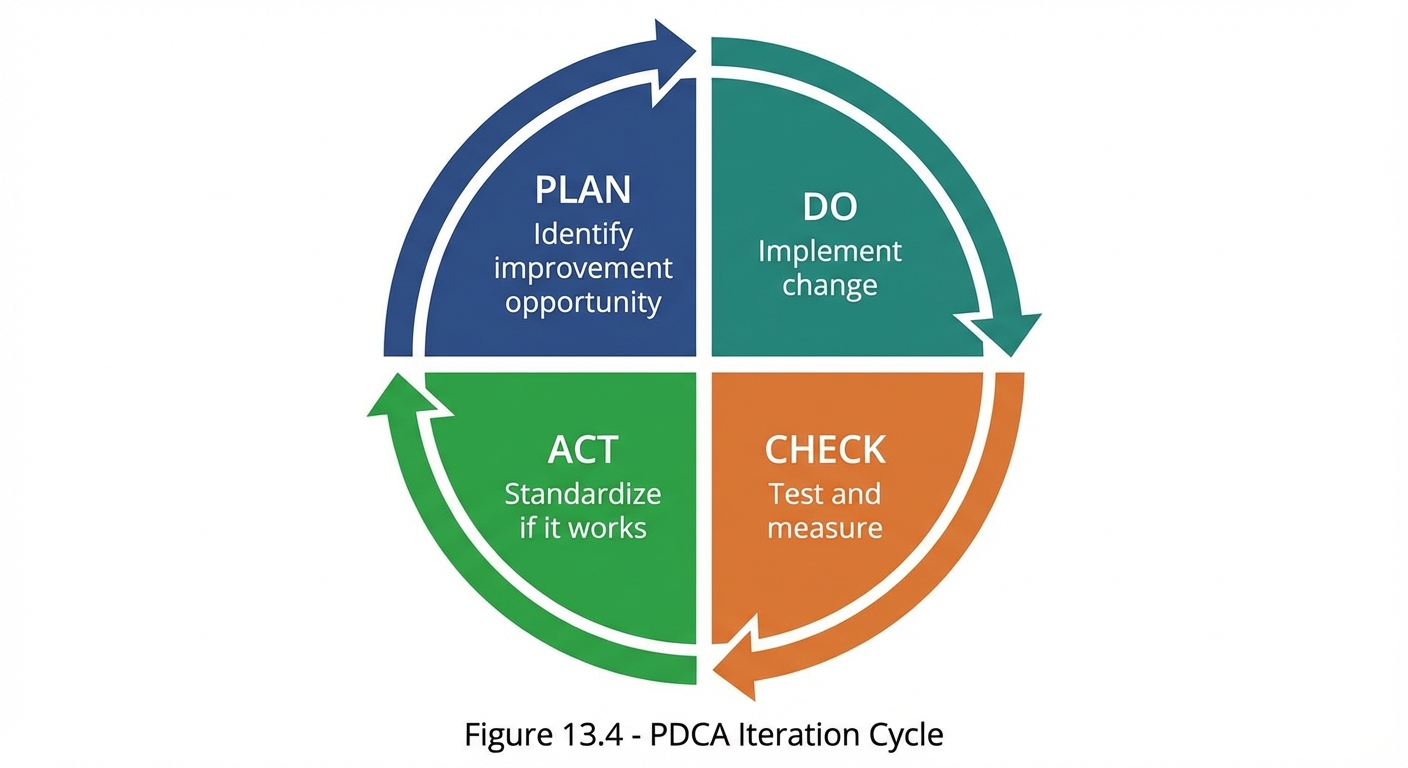 Figure 13.4: The Plan-Do-Check-Act (PDCA) cycle for systematic prompt iteration and improvement.
Iteration Best Practices
| Practice | Description |
|---|---|
| One change at a time | Isolate variables |
| Document everything | Record what you tried |
| Test consistently | Same inputs across versions |
| Measure objectively | Use defined metrics |
| Know when to stop | Diminishing returns exist |
Regression Testing
What Is Regression Testing?
Regression testing ensures that improvements don’t break things that were working.
| Stage | Function A | Function B | Function C |
|---|---|---|---|
| Before | ✓ Works | ✓ Works | ✓ Works |
| Change | Add new capability | ||
| After | ? Verify | ? Verify | ? Verify |
Building a Regression Suite
## Regression Test Suite: [Prompt Name]

### Core Behaviors (Must Pass)

**Test R1: Basic Task Completion**
- Input: [Standard input]
- Expected: [Correct output]
- Passing Criteria: [Specific criteria]

**Test R2: Format Compliance**
- Input: [Any input]
- Expected: [Specified format]
- Passing Criteria: [Matches format spec]

**Test R3: Constraint Adherence**
- Input: [Test constraint]
- Expected: [Respects constraint]
- Passing Criteria: [Doesn't violate]

### Edge Case Behaviors (Should Pass)

**Test R4: Long Input Handling**
**Test R5: Ambiguous Input**
**Test R6: Multi-part Request**

### Run After Every Change
□ R1  □ R2  □ R3  □ R4  □ R5  □ R6
Regression Prevention
When modifying prompts:

1. Run full regression suite before making changes
2. Make change
3. Run full regression suite after change
4. Compare results
5. If any regression: Fix before proceeding
Documentation and Tracking
Prompt Version Control
## Prompt: [Name]

### Version History

| Version | Date | Changes | Test Results |
|:--------|:-----|:--------|:-------------|
| 1.0 | 2024-01-01 | Initial | Baseline |
| 1.1 | 2024-01-05 | Added role | +15% accuracy |
| 1.2 | 2024-01-08 | Added format | +20% actionability |
| 1.3 | 2024-01-10 | Refined constraints | No change |

### Current Version: 1.2
(1.3 showed no improvement, reverted to 1.2)

### Active Experiments
- Testing few-shot examples (v1.4-beta)
Prompt Documentation Template
## Prompt Documentation: [Name]

### Purpose
[What this prompt is designed to do]

### Current Version
[Version number and date]

### Full Prompt Text
[The complete prompt]
### Key Components
- Role: [Role if any]
- Context: [Context approach]
- Constraints: [Key constraints]
- Format: [Output format]

### Test Results
- Accuracy: [Score]%
- Relevance: [Score]%
- Actionability: [Score]%

### Known Limitations
- [Limitation 1]
- [Limitation 2]

### Usage Guidelines
- Best for: [Ideal use cases]
- Not suited for: [Poor use cases]

### Change History
[Summary of evolution]
Practical Testing Tools
Quick Test Template
## Quick Test: [Prompt Version]

Test 1: [Basic input]
□ Pass / □ Fail
Notes: _____________

Test 2: [Edge case]
□ Pass / □ Fail
Notes: _____________

Test 3: [Error case]
□ Pass / □ Fail
Notes: _____________

Overall: ___/3 passed
Comparison Matrix
## Version Comparison: v1.0 vs v1.1 vs v1.2

| Criterion | v1.0 | v1.1 | v1.2 | Winner |
|:----------|:----:|:----:|:----:|:------:|
| Accuracy | 70% | 85% | 85% | v1.1/v1.2 |
| Relevance | 80% | 80% | 90% | v1.2 |
| Format | 60% | 75% | 95% | v1.2 |
| Speed | Fast | Fast | Fast | Tie |

**Recommendation:** Deploy v1.2
Key Takeaways
- Systematic testing transforms prompt engineering into a measurable discipline
- A/B testing enables objective comparison between prompt versions
- Single-variable iteration isolates what actually causes improvement
- Regression testing prevents improvements from breaking existing functionality
- Documentation captures knowledge for reuse and sharing
- The testing lifecycle provides a repeatable process for improvement
Summary
Testing and iteration are what separate ad-hoc prompting from professional prompt engineering. By designing test suites, running A/B comparisons, iterating systematically, and documenting results, you can reliably improve prompt performance over time. The investment in testing pays dividends through better results, faster iteration, and transferable knowledge.
Review Questions
- What are the four categories of test inputs?
- How does A/B testing differ from general testing?
- Why is single-variable iteration important?
- What is the purpose of regression testing?
- What should be included in prompt documentation?
Practical Exercise
Exercise 13.1: Test Suite Creation
Create a test suite for a “Product Description Writer” prompt:
- 3 typical cases
- 2 edge cases
- 1 adversarial case
- 1 error case
Include input, expected behavior, and success criteria for each.
Exercise 13.2: A/B Test Design
Design an A/B test comparing two approaches to the same task:
- Define your hypothesis
- Create both prompt variants
- Specify evaluation criteria
- Define success threshold